Pay with Cash App
Pay for your BoxSeat Pass from your phone in about a minute. No card needed.
You'll need
- Cash App on your phone, with money in it
- Your BoxSeat account
Tap Cash App
After you pick your plan, BoxSeat asks how you want to pay.
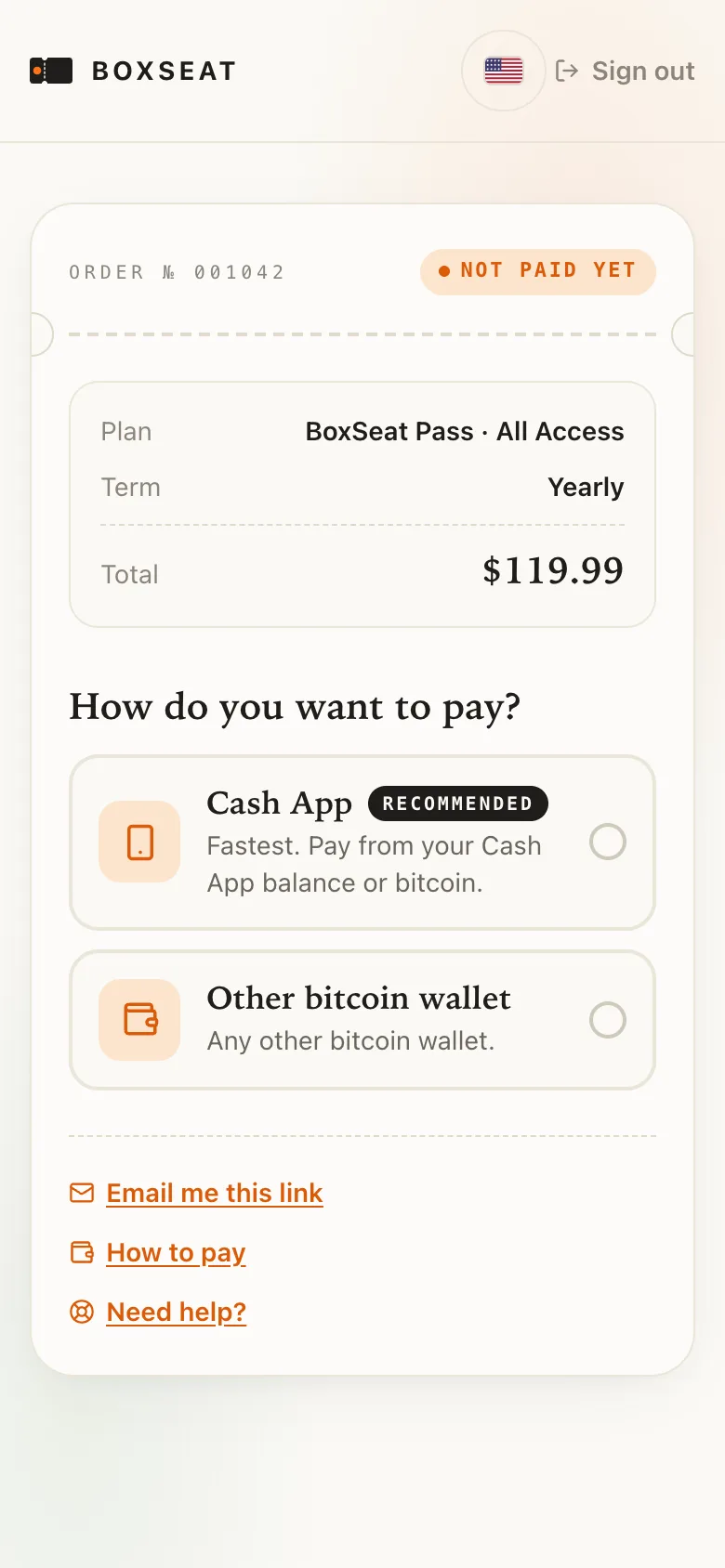 I did this
Tap Open Cash App to pay
Cash App opens with your payment ready. Nothing to copy or type.
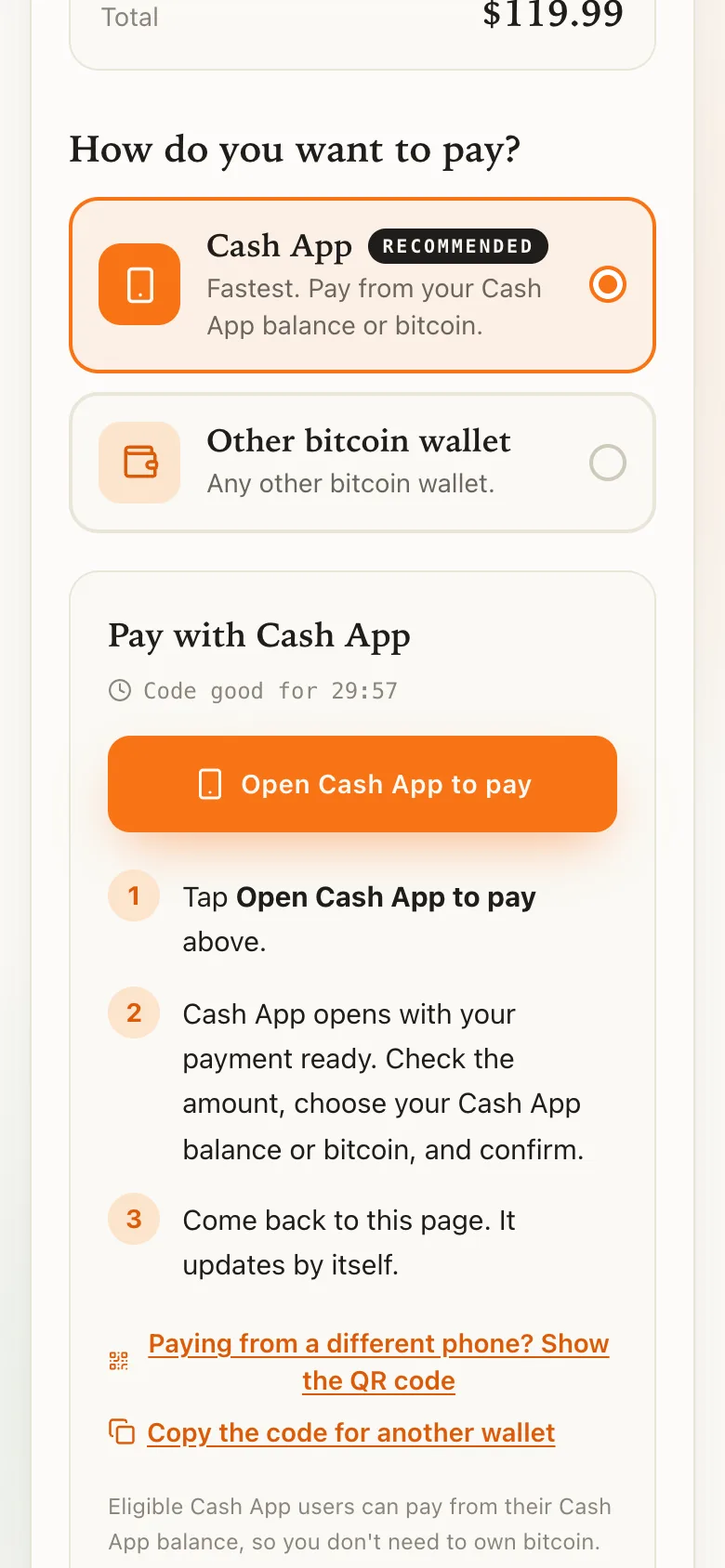
The code is good for 30 minutes. If it runs out, tap Get a fresh code. Your price stays the same.
I did thisCheck the amount and tap Pay
Pay from your Cash App balance. You don't need to own bitcoin. Cash App may add a small fee, usually a few cents, and shows your total first.
I did thisCome back to BoxSeat
Switch back to BoxSeat. The page updates by itself.
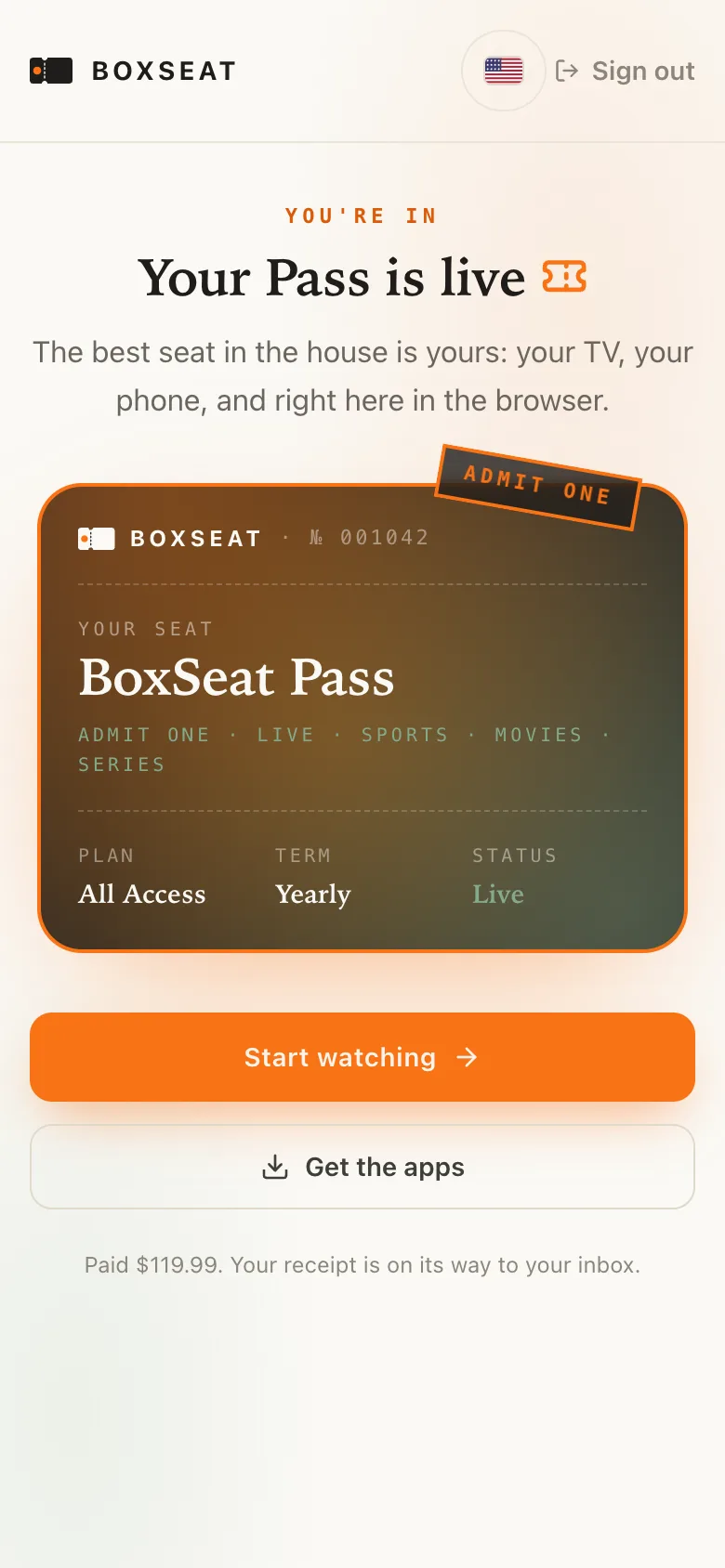
You'll see: Your Pass switches on by itself, and we email you a receipt.
I did thisPaying on a computer instead?
Your order page shows a square code. Open Cash App on your phone, tap the scanner in the top corner of the $ screen, and point it at the code. Then tap Pay.
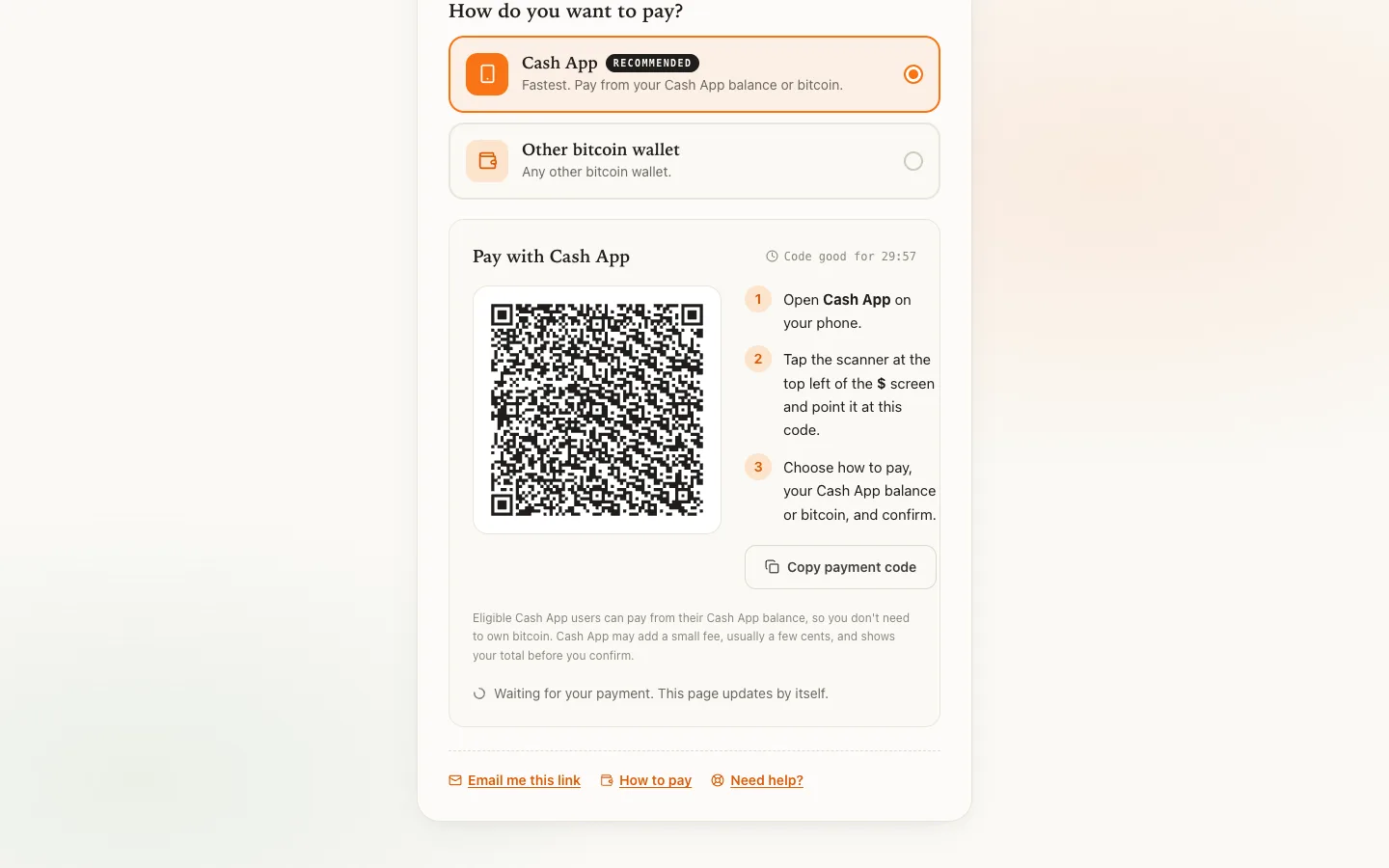 Example · yours shows its own code
Paid. Your Pass is live, and your receipt is in your email.
Still stuck? We'll help.
Tell us what you see on your screen. A real person answers every message.
Ask the Usher Write to usOr email support@getboxseat.com